What is intelligent pricing?
Optimize your prices automatically
Smart Prices: Smart Prices allow you to modify the registered price for your property. These prices only apply when you have availability and haven't received any inquiries. But don't worry! You can always reject the request if the price doesn't suit you. Additionally, you have the option to do this for a single room or for all your VICOs.
To register it for all your VICOs, follow these steps:
- Go to App > Click on your profile picture in the top right corner > Payments & Invoices > Smart Prices.
We've prepared a short video to guide you through the process: 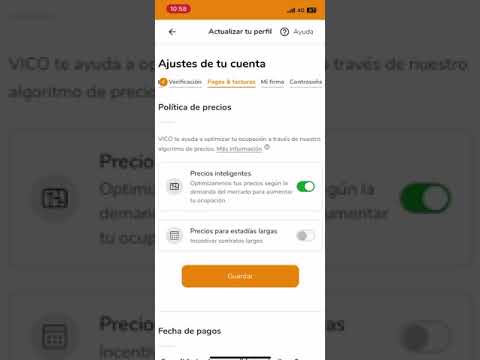
And to register it for just one of your rooms, you can follow this link: 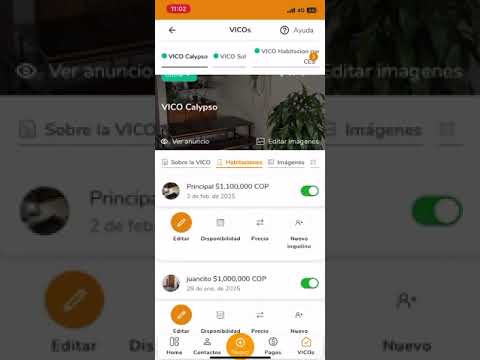
Related questions
Need more help? Write to us in the app.
Go to support